Key vs PIN vs QR Lockers: Which Access Mode to Pick
Key, PIN and QR code lockers differ on staffing cost, deposit handling and lost-code recovery. A clear framework for organisers choosing a locker access mode.


There is no single right access mode for event lockers. The choice comes down to three things: how much staffing budget you have for the locker wall, how you want to handle deposits, and how comfortable your crowd is doing everything from a phone. Get those three right and the rest of the decision follows.
In short: PIN lockers and QR lockers both cut staffing and remove the deposit-and-token exchange that the manual model relies on. QR moves the whole transaction online, including code delivery; PIN pre-books the guest before they arrive. The manual model needs a person at the wall for every single handover. This article works through staffing cost, deposit handling, guest experience, and lost-code recovery for each, then gives you a framework for choosing.
What the three access modes actually are
Volt runs every access mode the locker trade sells. The one this piece is really about, often called a key locker, is the traditional setup: a guest pays a deposit, gets a physical token, and returns both at the end. It is re-rented to the next guest, so the same hardware turns over all day. It is the cheapest hardware to buy and the most labour-intensive to run, because someone has to be at the wall for every handover and every return.
PIN code lockers are pre-booked before the event. The guest gets a PIN code card in advance, built for a fast entry flow. There is less staff effort at exit than with the manual model, because there is no deposit to hand back.
QR code lockers can be rented in advance or during the event itself. Locker details go out by SMS and email, there is no queue, the transaction is fully cashless, staffing needs are minimal, and the organiser gets live rental statistics on top.
A fourth option is worth knowing about: open mode, where the guest picks their own PIN and one locker serves several guests in succession over the course of an event, usually for free. It suits corporate events best, because there is no per-guest revenue to collect and no booking system to run. It sits outside the three-way comparison below because it solves a different problem: shared access, not paid access.
How the three compare
| Manual (deposit and token) | PIN lockers | QR lockers | |
|---|---|---|---|
| Staffing cost | Highest. Staff needed at the wall for every handover, every deposit, and every return. | Lower. Pre-booked entry needs staff mainly at setup and for the occasional lost card. | Lowest. Cashless and self-service; staff cover exceptions, not transactions. |
| Deposit handling | A deposit is taken and refunded against the token at the wall, then handed to the next guest. | No deposit to hand back. Guests pay when they book. | No deposit at all. The transaction is cashless and happens online. |
| Guest experience | Familiar and tactile, no app needed. Queues form at both drop-off and collection. | Fast at entry, because the booking, locker and code are already assigned before the guest arrives. | Fastest to onboard: book any time, including mid-event, no queue, no cash. |
| Lost-code recovery | A physical problem, not a data one: a replacement or a lock change, and the deposit is the fallback if it cannot be resolved on-site. | A support-desk problem. Lockers monitored daily with on-site support means staff can look the booking up. | Usually the fastest fix. The booking already lives in a system that can resend the SMS and email. |
Staffing cost, in practice
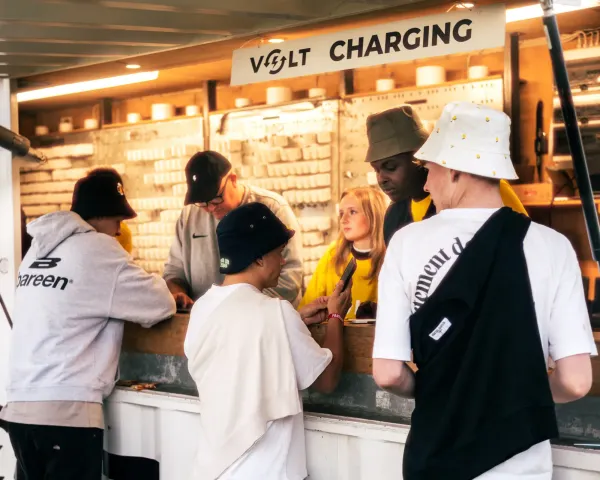
The manual model needs a person at the wall the entire time it is open, because every interaction, in and out, runs through them: handing over a token, taking a deposit, checking it back in, refunding the deposit. One rival in this trade, Locker Company, is blunt about the tradeoff on its own product page for this category: organisers who want the cheapest hardware are told to "provide pin capabilities, staff and cash for the deposit." That line captures the whole staffing story. Every manual-locker interaction needs a human on both ends.
PIN lockers move most of that cost to before the event. Once the PIN cards are issued and the wall is set up, staff mostly handle exceptions instead of every transaction, because there is no deposit to hand back at exit.
QR lockers push the cost down furthest, because the rental, the payment and the code delivery all happen without a person. That is also how organisers end up with something the other two cannot give them: live rental statistics, so nobody has to walk the wall to know how full it is.
Deposit handling
This is where the manual model creates the most work for an organiser, not the guest. A physical deposit means cash or a card terminal at the wall itself, someone reconciling that money at the end of the night, and a process for the guest who wanders off without collecting their bag. PIN and QR lockers remove that entirely: the guest pays when they book, so there is nothing to reconcile at the wall and nothing sitting in a cash box overnight.
Locker Company's own product actually blurs the PIN and QR line in an interesting way: guests scan a QR code to rent the locker, and a PIN to open it is then sent automatically. The pitch on their own site is "completely cashless online rentals," with visitors paying "digitally, the moment they book a locker." Worth knowing if you are shopping the market: some vendors sell "PIN lockers" and "QR lockers" as one blended flow rather than two separate products, so ask exactly how a rival's version works before assuming it matches the categories here.
Guest experience and lost-code recovery
The manual model feels the most familiar to a guest who has used a gym or a pool locker before: no phone, no app required. The tradeoff is a queue at both ends of the day, and a genuinely bad outcome if the token gets lost mid-event, since fixing that is a physical job, not a lookup.
PIN and QR lockers depend on the guest's phone and a working connection to deliver the code. That is a real constraint at a greenfield festival site with no venue network, which is why Volt runs its own Starlink connection at every event: locker and charging systems, including code delivery, stay online even where there is nothing else to connect to.
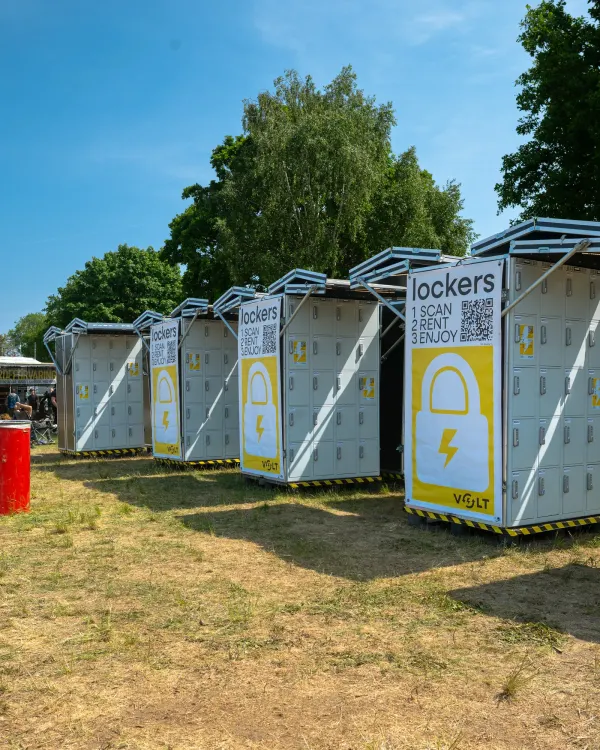
Recovery is where the two digital modes earn their place. Volt's own Event Lockers are monitored daily with on-site support, so a guest who loses their code gets a support-desk conversation, not a locked-out afternoon. Because the booking already lives in a system that sent the original SMS and email, resending it is usually the fix.
A framework for choosing
Choose the manual model if staffing is genuinely cheap for your event, your crowd skews toward people who would rather not touch an app, and you are comfortable running a cash or card deposit process at the wall for the full opening window.
Choose PIN lockers if most of your locker demand is pre-booked, the way tickets are, and you want to cut staff effort at exit without going fully self-service. This is a solid default for a single or multi-day festival with predictable footfall.
Choose QR lockers if you expect a lot of walk-up demand, your crowd is comfortable booking from a phone, and you want the lowest staffing load along with live visibility into how full the wall is. This tends to suit higher-volume events and multi-day sites where the wall needs to run itself outside staffed hours.
Consider open mode only if you are not trying to generate locker revenue at all, such as a corporate event where the lockers are a free amenity shared across the day.
Event duration matters too. A single-day event can absorb the queue that comes with the manual model, because it is a one-time cost. A week-long camping festival cannot: that queue repeats every day, which is exactly why PIN and QR lockers dominate at multi-day sites, and why some festivals split their locker walls by access mode and location, staffed near the main gate and self-service out in the camps.
Frequently asked questions
What is the difference between a PIN locker and a key locker?
A key locker exchanges a physical token and a deposit at the wall, checked in and out by staff. A PIN locker is pre-booked instead, with the guest getting a PIN code card in advance and no deposit to hand back, which is what makes exit faster.
Do PIN and QR lockers still need a deposit?
No. Both are paid in full when the guest books, so there is no deposit taken or returned at the locker itself, unlike the manual, deposit-based model.
What happens when a guest loses their PIN or QR code?
With lockers monitored daily and on-site support in place, it is a support-desk problem. Staff look up the booking and resend the code by SMS or email rather than needing to physically replace anything.
Which access mode needs the least staff?
QR lockers, because the rental, payment and code delivery all happen without a person. Staff only need to handle exceptions, not every transaction.
Can one festival use more than one access mode?
Yes. Offerings vary by event: some festivals split lockers by location, for instance staffed near the main gate and self-service out in the camping areas, and pick the access mode that fits each spot.
If you are weighing this against the wider question of how many lockers you actually need, or what the deposit and revenue-share model looks like for your event, how many Event Lockers does your festival need and event locker cost for organisers cover those next. For the wider vocabulary the locker trade uses for these products, see Smart Locking vs Smart Locker Solutions vs Event Lockers. Talk to Volt about which access mode fits your event on the Event Lockers page.